Rap Cut
I Love the Smiths AI · the elevator scene, recast with you

I Love the Smiths AI video generator & prompts

Two strangers in a wood-paneled elevator. One has headphones on, the other hears the music and leans in: “I love the Smiths.” Upload a photo of you and one of your person, and the I Love the Smiths AI generator plays that meet-cute with your faces, your voices and the awkward little smile at the end.

Make my I Love the Smiths video ↓✓ 2 photos or 1 of you both✓ 10–15 s, voices in sync✓ No watermark

I Love the Smiths AI examples

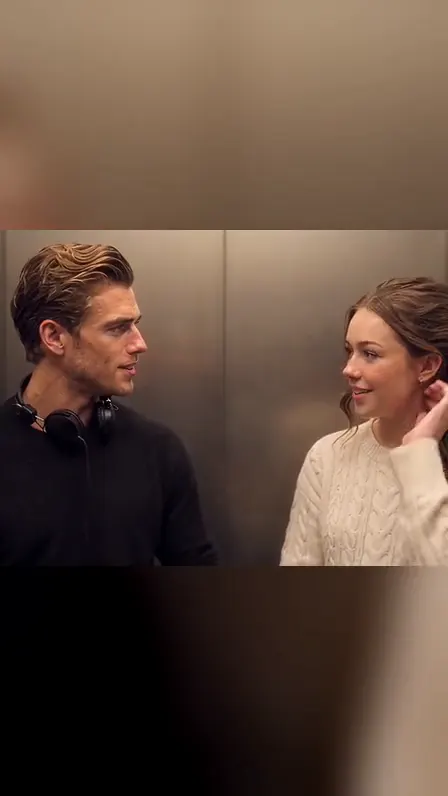
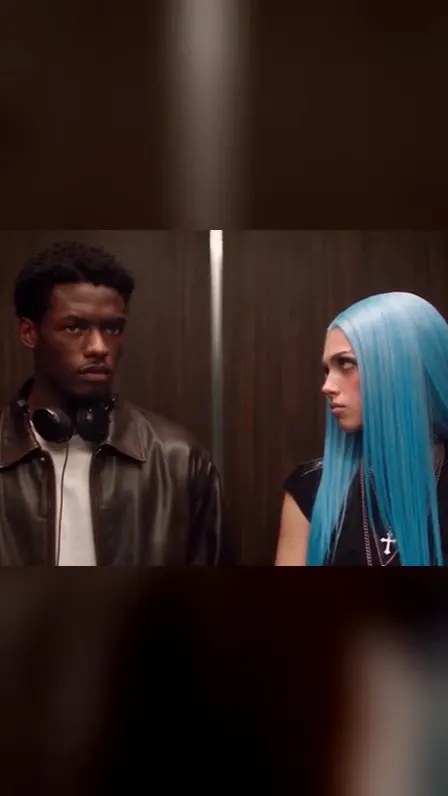
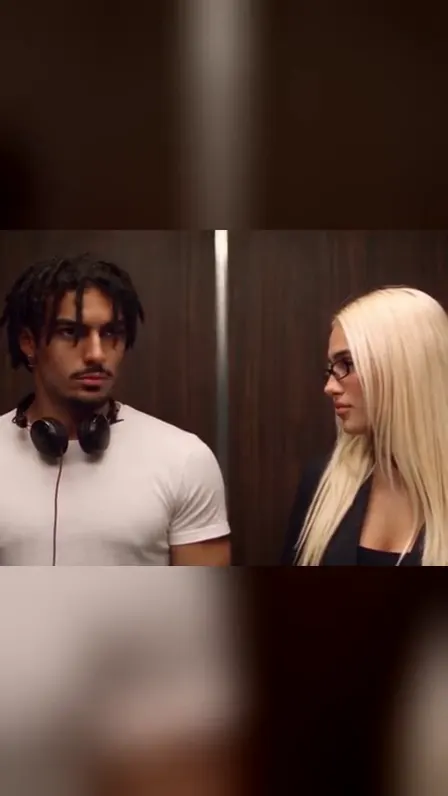
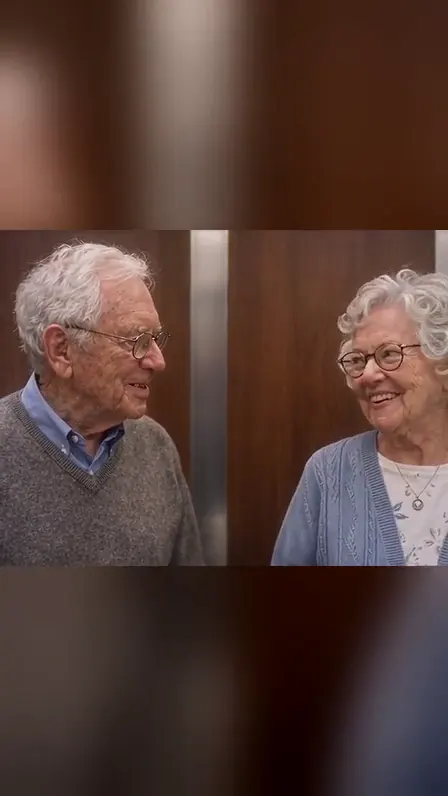
A young couple, two pairs of strangers and a grandma and grandpa, each in the warm wood-paneled elevator from headphones to smile. Yours is made from a photo of each of you.

I Love the Smiths AI · 115 s · 16:9
I Love the Smiths AI · 215 s · 16:9
I Love the Smiths AI · 315 s · 16:9
I Love the Smiths AI · 414 s · 16:9
Short answer

I Love the Smiths AI is a video trend that recreates the elevator scene from (500) Days of Summer (2009) with two people from your own photos: one wears headphones, the other says “I love the Smiths,” the headphones come off and a shy smile follows.

To make one on Rap Cut, upload a photo of each person (or one photo of you both), keep I Love the Smiths selected in the Effects tab and press Make the effect. The 10 to 15-second clip is ready in a few minutes, has no watermark and starts at 5 credits.

I LOVE THE SMITHS AI

I Love the Smiths AI: what to know before you make one

Ten to fifteen seconds of nerves, one line and a smile, played by the two of you.

🎧 The trend

What is the I Love the Smiths AI trend?

It started with the elevator scene from (500) Days of Summer, where Summer hears Tom’s headphones and tells him she loves the Smiths.

Years later the clip turned into a meme, and now people use AI to cast themselves, their partner or their best friend in it. It works because everybody knows the beat: a stranger, a song, one line, and suddenly it is a love story.

👥 Two roles

Two photos, two roles

Photo one wears the headphones, photo two delivers the line, so you decide who gets to be the cool one.

Each person keeps their own outfit, even if the pictures were taken years apart.

🙂 Still you

Both faces stay yours

Faces, hair, skin tone, age and build come straight from the photos, and your real height difference is kept.

Sharp, front-facing photos in daylight give the closest likeness.

🔊 Sound

The line is spoken; the film’s song is not

Each clip has the two spoken lines, lips in sync, and a faint guitar melody leaking from the headphones.

It does not play the Smiths’ recording, so the upload is never muted. On TikTok or Reels, pick the song from the in-app library to add it legally.

✓ TikTok✓ Instagram Reels✓ YouTube Shorts✓ WhatsApp

How to make an I Love the Smiths AI video from two photos

Pick one photo of each person: faces clear, roughly the same distance from the camera. Put the person who should wear headphones first. Upload both in the generator above, leave I Love the Smiths selected and press Make the effect. The elevator, the lighting, the dialogue and the camera are already set, so there is nothing to write.

Browse all AI video effects →

Who it is for: couples, best friends and first dates

Couples post it as their “how we met” story, even when they met on an app. Best friends use it as the “we have the same music taste” joke. And it is a soft way to ask someone out: make the clip with their photo and yours, then send it.

The 500 Days of Summer elevator scene, without the actors

The trend borrows the setup, not the stars: a warm wood-paneled elevator, a pair of over-ear headphones, a line about a band. Every face in your clip comes from your photos, so it reads as your scene rather than a copy of the film. Clips of the original actors or other real people without consent are not allowed.

Why the Smiths song is not in the clip, and how to add it

Music on short-video apps is licensed by the app itself. A video with a famous recording baked in gets muted or taken down, while a clip with only voices and room sound is safe everywhere. Download your clip, open TikTok, Reels or Shorts, and pick the track from the sound library: it plays under your dialogue, licensed.

I Love the Smiths AI or AI hug?

The elevator scene is the moment before anything happens, all glances and nerves. If you would rather skip to the warm part, the AI Hug effect takes the same two photos and turns them into a long, real embrace.

Make an AI Hug instead →

From the elevator to a rap duo

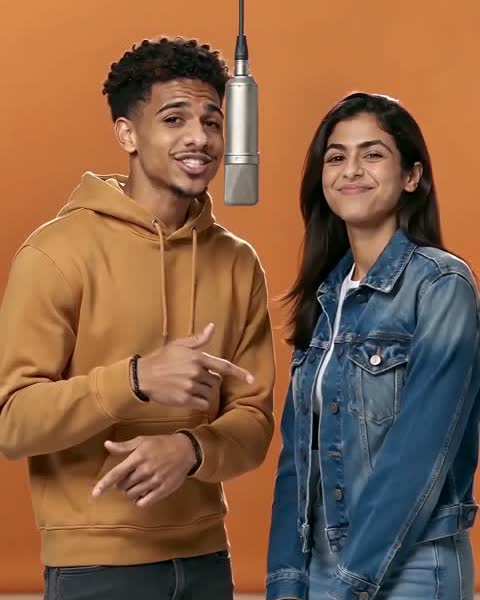
Same two people, louder idea: the AI rap video maker puts you side by side in a recording booth, trading bars about each other with mouths in sync. It is the best follow-up post when the elevator clip lands.

Make a Hotel Lobby AI rap →

Length, format and price before you start

The elevator scene needs time to breathe, so it runs 10, 12 or 15 seconds rather than 5. Pick 16:9 for the film look or 9:16 to fill a phone screen. Every length and quality has its price on one page.

See prices and credit packs →

I Love the Smiths AI prompts: four ways to stage the elevator scene

Copy any of these into an image-to-video model that takes reference photos. The generator above already runs the first one for you, so there is nothing to paste there. They are in English because video models follow English most reliably.

The classic elevator meet-cute

Input: two photos, the listener first

Use @image1 and @image2 as the two people. A warmly lit office elevator with dark wood-paneled walls and brushed-steel trim. The person from @image1 stands on the left wearing black over-ear headphones, lost in the music; the person from @image2 stands on the right. Faint jangly guitar leaks from the headphones. The person on the right turns, smiles slightly and says "I love the Smiths." The listener pulls the headphones down to the neck: "Sorry?" "I said, I love the Smiths. You have good taste in music." A surprised pause, then a slow, shy smile and a brief look between them. Steady front medium two-shot from the waist up, slow push in, warm muted indie-film color, gentle grain. Keep both faces, hairstyles and outfits exactly as in the photos. No captions, no logos.

Best friends, same music taste

Input: one photo of two friends

Both people come from @image1: the one on the left wears over-ear headphones, the one on the right does not. They ride a small wood-paneled elevator side by side. The friend on the right leans in, hears the music and says "I love the Smiths." The friend with headphones lifts one earcup, squints in mock suspicion, then breaks into a grin, and they bump fists, laughing. Static medium two-shot, warm overhead light, realistic skin, light film grain. Same faces, hair and clothes as in the photo. No text on screen.

Our “how we met” remake

Input: one couple photo

The couple in @image1 recreate how they met, as strangers in an elevator. Left: wears over-ear headphones, eyes on the doors. Right: hears the faint music, turns with a nervous smile and says "I love the Smiths." Left lowers the headphones around the neck, looks over, and a slow smile spreads. As the doors slide open, their hands brush and they step out together. Warm golden elevator light, wood panels, steady front two-shot, then a wide shot from the hallway as the doors open. Faces and outfits unchanged from the photo. No captions.

Fifty years later: the grandparents

Input: one or two photos of an older couple

The older couple from @image1 (and @image2 if given) stand in a vintage wood-paneled elevator with a brass handrail. The one on the left wears big over-ear headphones; the one on the right glances over, raises an eyebrow and says "I love the Smiths." The listener slides the headphones off and cups a hand to one ear: "Sorry?" The line comes again, louder, and both burst out laughing. Steady medium two-shot, soft warm light, natural wrinkles and skin texture, gentle film grain. Keep their faces, glasses, hair and clothes exactly as in the photos. No text.

How I Love the Smiths AI works

  1. Add the listener, then the speaker
    STEP 1 / 3

    Add the listener, then the speaker

    The first photo becomes the one wearing headphones, the second photo the one who says the line. Swap the order to swap the roles, or switch to One photo and use a picture of you both.

  2. I Love the Smiths is already picked
    STEP 2 / 3

    I Love the Smiths is already picked

    The generator on this page opens on the elevator scene in 16:9, like the film. Choose 9:16 if it is going straight to TikTok or Reels, and 10, 12 or 15 seconds.

  3. Make the effect and post the reveal
    STEP 3 / 3

    Make the effect and post the reveal

    In a few minutes the clip is in My videos. Download the MP4, add the song from TikTok’s or Instagram’s sound library if you want it, and switch on the AI label.

Works well

Works well

  • Each face clear and turned toward the camera
  • From the chest up, shoulders in the frame
  • Soft daylight, no sunglasses or heavy filters
Skip these

Skip these

  • Tiny faces in a crowd or a far-away shot
  • Someone who did not agree to be in it
  • Kids, celebrities or the film’s actors

Frequently Asked Questions About I Love the Smiths AI

Which website can make the I Love the Smiths AI video from my photos?

Rap Cut does it in the browser. Upload a photo of each person, keep I Love the Smiths selected and press Make the effect; a few minutes later you can download the elevator scene with both of your faces. No app and no prompt needed.

What is the I Love the Smiths AI trend?

It recreates the elevator scene from (500) Days of Summer, where one person hears the other’s headphones and says “I love the Smiths.” People use AI to put themselves and a partner or friend into that moment and post it as a meet-cute or “how we met” clip.

How do I make an I Love the Smiths AI video?

Upload the photo of the person who should wear headphones first and the speaker second, pick 10, 12 or 15 seconds and generate. The elevator, dialogue, camera and lighting are built into the effect.

What is a good I Love the Smiths AI prompt?

A good prompt names who wears the headphones, the exact lines (“I love the Smiths,” “Sorry?”), a warm wood-paneled elevator, a steady front two-shot, and tells the model to keep both faces from the photos. This page lists four copy-ready versions, and the generator here uses the first automatically.

Can I use one couple photo instead of two portraits?

Yes. Switch to One photo and upload a picture of you both; the person on the left of the photo wears the headphones. Two separate portraits usually give sharper faces.

Which AI tool is best for the I Love the Smiths trend?

Look for one that keeps both faces recognizable, lets you choose who wears the headphones, speaks the lines with lip sync, avoids copyrighted music and charges per clip. Rap Cut does all of that from 5 credits a clip, with refunds on failed renders.

Does the video include the Smiths song or the movie audio?

No. You get the two spoken lines and a faint original guitar melody from the headphones. Add the real song from TikTok’s or Instagram’s licensed sound library when you post, so your clip is never muted.

Is there a free I Love the Smiths AI generator?

Rap Cut has no free version, because every clip is rendered on a paid video model. The cheapest is a 10-second 480p draft for 5 credits, packs start at $9.99 for 10 credits, and a failed render costs nothing.

How long is an I Love the Smiths AI video?

10, 12 or 15 seconds. Twelve seconds fits the whole exchange, the smile and the doors opening; 15 gives the pause a little more room.

Can I make it with my friend instead of a partner?

Of course. The scene plays as a friendly “you like them too?” moment just as well; the second prompt on this page even ends in a fist bump.

Will the people in the video look like us?

Yes, each face, hairstyle and outfit is taken from your photos. Clear, well-lit, front-facing photos give the best likeness; sunglasses, filters and tiny faces make it drift.

Is it OK to post an I Love the Smiths AI video on TikTok?

Yes, as long as both people agreed to be in it. The file has no logo and no copyrighted music. Turn on the platform’s AI-generated label when you upload. The clip is a fan recreation, not connected to the film or the band.

What happens to my photos?

They are used for your clip only, deleted within 2 days and never used for training. The finished video stays private in My videos until you delete it.

Who is wearing the headphones?

Two photos, one elevator, one line. The rest is already set.

Make my I Love the Smiths video ↑

More AI video effects to try