Rap Cut
Animate Old Photos · one picture, one moment

Animate Old Photos: bring an old picture to life

Animate Old Photos turns a still from the family album into a few seconds of life: your grandfather takes a breath, blinks, and the corner of his mouth lifts into the smile you remember before his eyes find the lens. The frame, the background, the black-and-white or sepia tone and even the film grain stay exactly as they were. Scan the print, upload it, and watch it move.

Animate my old photo ↓✓ Original colors kept✓ One photo is enough✓ No watermark

Animate Old Photos examples

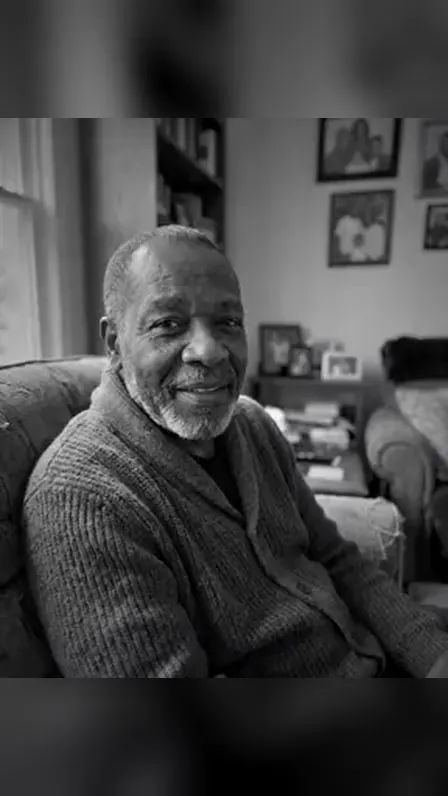
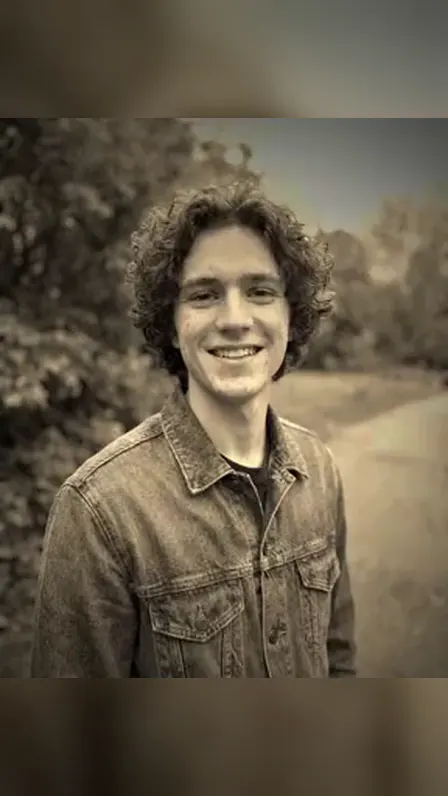
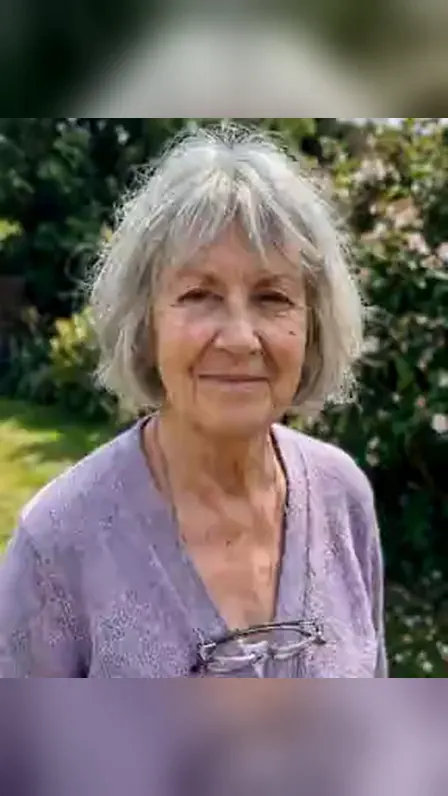
A black-and-white portrait, a sepia snapshot and a faded color photo, each breathing, blinking and smiling while the print keeps its tones and grain. Scan an album photo of your own to see it move.

Animate Old Photos · 15 s · 9:16
Animate Old Photos · 25 s · 9:16
Animate Old Photos · 35 s · 9:16
Short answer

To animate old photos means turning a still photograph into a short video in which the people in it move naturally: they breathe, blink, smile and look at the camera, while the picture keeps its original framing, colors and grain.

On Rap Cut you upload one scanned or photographed print, keep Animate Old Photos selected in the Effects tab and press Make the effect. A 5-second clip with soft piano is ready in about 2 to 5 minutes, costs 3 credits at 480p or 5 at 720p, and downloads as an MP4 without a watermark.

ANIMATE OLD PHOTOS

What happens when you animate old photos

Five quiet seconds that turn a print from the album into someone you can almost hear laugh.

🖼️ Why animate

Why people animate old photos

Most families have a shoebox of prints and not a single second of video of the people in them.

Watching a great-grandmother blink or a young dad from 1975 break into a grin makes them feel present in a way a still never does. People animate old photos for family reunions, genealogy projects, memorial services, anniversaries, and to show children what the relatives they never met actually looked like when they moved.

🎞️ Second by second

Breath, blink, smile: what the photo does

Nothing dramatic happens, and that is the point.

The clip opens on your photo exactly as it is. A second later the person takes a small breath, blinks, and a soft smile spreads across the face. The eyes travel to the lens, the head tilts a little, the shoulders settle. Hair and fabric move a touch. The camera holds the original framing with only the slightest push in.

  1. 1Still photo
  2. 2A breath
  3. 3A blink
  4. 4The smile
  5. 5Eyes to camera
  6. 6Head tilt
🎨 Era kept

The photo keeps its age

Animating is not restoring.

A black-and-white print stays black-and-white, sepia stays sepia, a faded 1980s color snapshot keeps its washed-out tones, and the grain is left alone. The background stays the one in the picture: the living room, the garden, the studio backdrop.

👪 Groups too

One face or a whole family

Portraits work best because the face is large, but everyone in the picture moves, so a couple on their wedding day or three generations on a sofa all come alive together.

The smaller a face is in the frame, the less detail the animation has to work with.

🎹 Soft piano

Quiet piano, ready for the family chat

Each animated photo comes with a few seconds of soft piano made for it, with no voices and no copyrighted song inside the file.

It plays well in a family WhatsApp group, a Facebook memory post or a tribute slideshow.

✓ WhatsApp✓ Facebook✓ Family slideshow✓ Email
💳 Clear price

What it costs to animate old photos

One animated photo is one clip, paid for once, with the price on the button before you confirm.

A 5-second animation costs 3 credits at 480p and 5 credits at 720p; a longer 10-second clip at 720p is 9 credits. A pack of 10 credits costs $9.99, enough for two sharp animations, and leftover credits stay in your account with no expiry date.

5 s · 480p

🪙 3 credits

A first look at how a print moves

5 s · 720p

🪙 5 credits

The full moment, sharp enough to keep

10 s · 720p

🪙 9 credits

A slower, longer moment

15 s · 720p

🪙 13 credits

Room for a slideshow

Animate Old Photos prices →

🔒 Careful with photos

Your family photos are handled with care

The scans you upload are only used to make your clip and are erased within 2 days; they are never used to train AI.

The finished animation is private to you in My videos for a week, carries no logo, and if a render breaks, stalls or is blocked by a safety check, the credits return to your balance on their own.

🎨 Original look kept

No recoloring, no sharpening, the print stays the print.

⚡ Broken render, no charge

Errors, timeouts and blocked renders refund their credits.

🔒 Scans erased in 2 days

Never used to train AI; your clip stays private.

What it means to animate old photos

Animating an old photo uses an AI video model to imagine the second after the shutter clicked. It does not add a cartoon effect or a moving filter on top: it predicts how that exact person would have moved, then renders it in the style of the original print. It is one of several photo-to-video effects you can make from a single picture.

See all AI video effects →

How to scan an old photo for the best animation

Take the print out of its frame or plastic sleeve, because reflections confuse the model. Use daylight from the side, keep the phone parallel to the photo, and fill the screen with the picture. Higher resolution helps faces most, so get close rather than zooming in afterwards. If the print is curled, press it under a sheet of glass and shoot from slightly off-axis to avoid glare.

Black-and-white, sepia and faded color photos

The effect respects the look of the era. Monochrome portraits move in monochrome, sepia studio cards keep their warm brown tint, and a Polaroid from the eighties keeps its yellowed color shift. If you want the person shown in full modern color, that is a different job: AI Memorial Hug, for example, renders people from old photos in natural color.

Try AI Memorial Hug →

Animating group photos and wedding portraits

You can animate old photos with more than one person, and everyone in the frame moves at once: a couple exchanges a glance, a family on the porch smiles together. Faces need to be large enough to read, so crop a big group picture to the people who matter most before you upload it. To bring two separate photos together into one embrace, use AI Hug instead.

Make an AI hug from two photos →

Bringing a photo of someone you lost to life

Many people animate old photos of a parent or grandparent who has died, and it can be a strong moment, so it is worth watching it alone first. The clip is an imagined moment, not a recording: it has no voice and it says nothing. If what you want is to stand next to that person again, AI Memorial Hug puts you in the same frame for one slow hug.

Hug a deceased loved one with AI →

Animate old photos vs restoring them

Restoration repairs a picture: it removes scratches, fixes tears, sharpens a blurry face and may add color. Animation leaves the picture as it is and adds movement. If your print is badly damaged, repair the worst cracks across the face first with any photo restoration tool, then animate the cleaned-up version for a smoother result.

Sharing animated old photos with family

The MP4 plays everywhere: WhatsApp, iMessage, Facebook, email, a TV via USB. Vertical 9:16 suits phones and stories, square 1:1 suits a Facebook feed, and 16:9 suits a slideshow on a television at a reunion or a memorial service. Pricing for longer clips and sharper models is listed on one page.

See prices and credit packs →

Where animated old photos get shared

Grandparents’ portraits

The faces the youngest in the family only know from frames on the wall.

Old wedding photos

A couple from 1962 turning to the camera together, for an anniversary.

Genealogy projects

Ancestors in the family tree who finally look like people.

Memorial services

A moving portrait on the screen instead of a still one.

Yearbooks and school photos

Mum or Dad at seventeen, grinning back at you.

A gift for the family chat

Send one clip, and the whole group starts digging out boxes of prints.

How to choose a tool to animate old photos

When you ask an AI assistant which site animates old photos, these are the differences that change the result.

What to checkOn Rap CutWhy it matters
Original look✓ Keeps black-and-white, sepia, grain and backgroundRepainted photos lose what made them precious
Movement✓ Breath, blink, smile, eyes to cameraExaggerated moves look uncanny on an old portrait
Group photos✓ Everyone in the frame movesMany family prints have more than one person
Speech✓ None, piano onlyFake voices of real relatives can feel wrong
Price✓ 3 credits at 480p, 5 at 720p for 5 sYou may only want to animate a handful of prints
Subscription✓ Not required; packs never expireFamily projects happen once in a while, not monthly
Privacy✓ Photos erased within 2 days, never used for trainingThese are irreplaceable family pictures
Failed renders✓ Credits returned automaticallyOld, damaged prints fail more often

How Animate Old Photos works

  1. Digitize the print
    STEP 1 / 3

    Digitize the print

    Lay the photo flat by a window, hold your phone straight above it and shoot without flash, or use a scanner. Crop away the album page and the white border so only the picture is left.

  2. Upload it with Animate Old Photos picked
    STEP 2 / 3

    Upload it with Animate Old Photos picked

    The generator on this page already has Animate Old Photos selected. One photo is all it takes, even if several people are in it. Five seconds is enough for a breath, a blink and a smile.

  3. Download and share the moment
    STEP 3 / 3

    Download and share the moment

    Press Make the effect. The finished clip appears in My videos a few minutes later; save the MP4 to your phone and send it to the family, or drop it into a slideshow.

Works well

Works well

  • A sharp scan or a straight-on phone shot of the print
  • Faces clearly visible, the bigger in the frame the better
  • Borders, album pages and glare cropped out
Skip these

Skip these

  • A photo of a photo taken at an angle or with flash glare
  • Very small faces in a large crowd or landscape
  • People you have no right to share, or anyone under 18
WHAT'S NEW ON THIS PAGE
Nov 3, 2026Page published: animate old photos right in the generator’s Effects tab; people breathe, blink and smile while black-and-white and sepia tones stay as they are.
Nov 3, 2026Group photos work, 5 to 15 seconds, from 3 credits; plus a guide to scanning prints and how animating differs from restoring.

Frequently Asked Questions About Animate Old Photos

Is there a website that can animate old photos online?

Yes. Rap Cut animates old photos in the browser: upload one scanned or photographed print and about 2 to 5 minutes later you download an MP4 in which the people breathe, blink, smile and look at the camera. There is nothing to install and no prompt to write.

How do I bring an old photo to life with AI?

Digitize the print with a scanner or a straight-on phone photo, upload it in the generator on this page with Animate Old Photos selected, and press Make the effect. The AI keeps the original framing and tones and adds small natural movement.

What is the best app to animate old family photos?

Look for four things: it keeps the original look of the photo instead of repainting it, it handles group pictures, it lets you pay for a single clip without a subscription, and it deletes your family photos afterwards. Rap Cut does all four, from 3 credits a clip, in any browser.

Can I animate old photos for free?

Not on Rap Cut: every animation runs on a paid video model. The cheapest clip is 3 credits (5 seconds at 480p) and the smallest pack is 10 credits for $9.99. Credits never expire, the download has no watermark, and a failed render is refunded automatically.

How can I make my grandparents’ photo move and smile?

Upload the clearest portrait you have of them. Animate Old Photos makes them take a breath, blink, warm into a smile and look toward you, in the same setting and colors as the original picture. A portrait where the face fills much of the frame gives the most lifelike result.

Can AI animate a black-and-white photo without colorizing it?

Yes. This effect keeps black-and-white photos in black and white, sepia in sepia and faded color in faded color, with the original grain. Only the people move.

Does it work on old group photos?

Yes, everyone in the photo moves at the same time. Results are best when each face is reasonably large, so crop a crowded picture down to a few people before uploading.

Do I need to restore a damaged photo before animating it?

Not always. Light scratches and fading are fine and stay visible. Deep cracks or tears across a face can distort the animation, so repair those first and then animate the repaired image.

How should I scan an old photo for animation?

Shoot or scan it flat, in even daylight, without flash or glass reflections, and crop away the border. Get the camera close so the faces have as many pixels as possible.

Can I animate a photo of someone who has passed away?

Yes, and many people do, for a memorial or an anniversary. The result is an imagined moment without a voice. If you would also like a clip of yourself hugging them, AI Memorial Hug makes that from their photo and yours.

Will the person in the animated photo talk?

No. They breathe, blink, smile and turn toward the camera, but there is no speech and no lip movement, and the soundtrack is quiet piano.

How long is an animated old photo, and can I post it on Facebook or WhatsApp?

You can choose 5, 8, 10, 12 or 15 seconds; five seconds already shows the full breath-blink-smile moment. The MP4 comes in 9:16, 1:1 or 16:9 and plays on WhatsApp, Facebook, Instagram and TVs.

Is it safe to upload old family photos to an AI site?

Check how long the site keeps them. Rap Cut uses your photo only to make your clip, deletes it within 2 days, never trains on it, and keeps the finished video private unless you decide to share it.

What happens if the animation fails or looks wrong?

If the render errors out, times out or is stopped by a safety filter, its credits go back to your balance automatically. If it finishes but the face looks off, try a sharper scan or a tighter crop on the face.

Which photo in the album would you like to see move?

Scan one print, and in a few minutes the person in it blinks and smiles back at you.

Animate my old photo ↑

More AI video effects to try