Rap Cut
AI dance video · a whole routine from one picture

AI dance video: make one from a photo

An AI dance video puts you on a glossy floor under pink and blue neon, grooving through a full routine you never learned, then spinning into a pose that lands right on the beat. Upload a photo of yourself, your best friend or the whole group, and the AI does the choreography. Two left feet are welcome.

Make my AI dance video ↓✓ Solo, duo or group✓ Ready in 2–5 min✓ No watermark

AI dance video examples

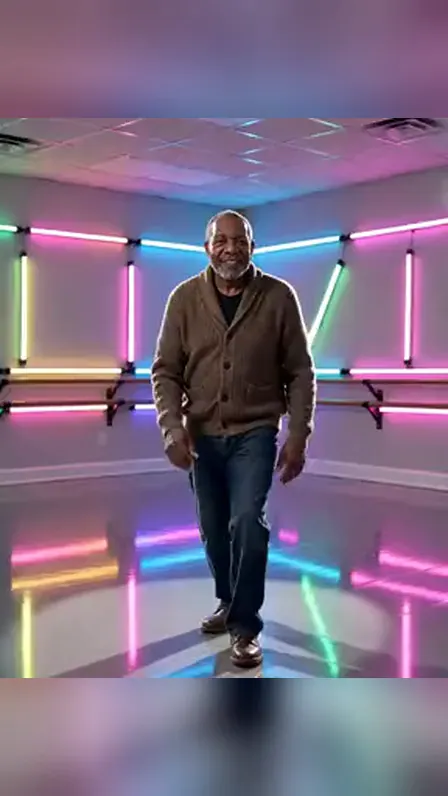
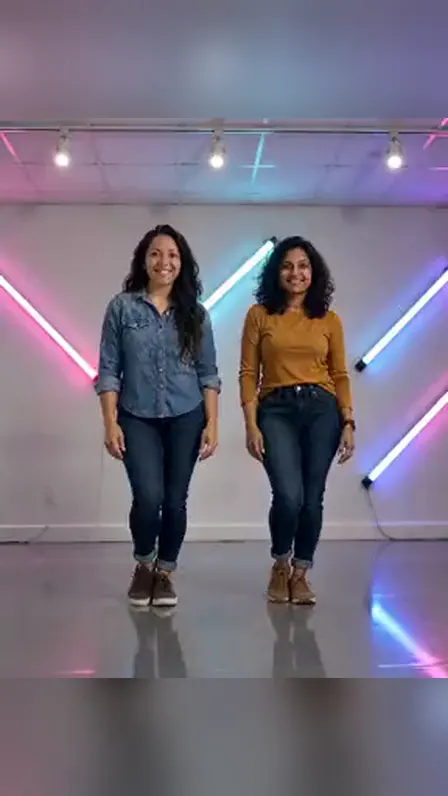
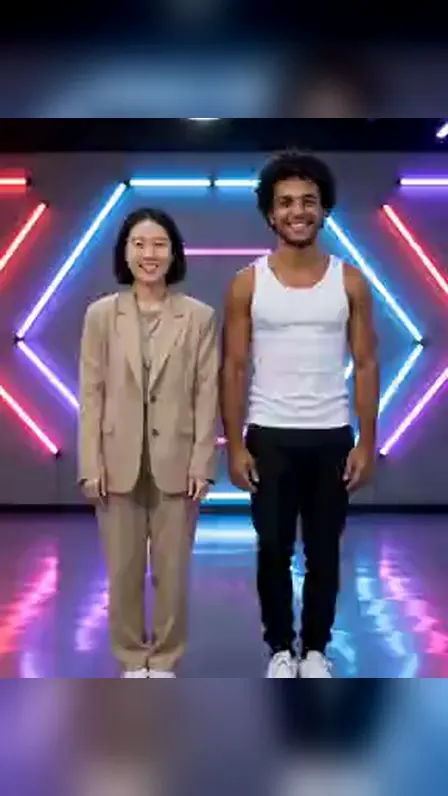
A grandpa going solo, two friends and a duo, each made from photos and dancing a full routine in the neon studio before the spin. Upload yourself, a partner or your group to get the same.

AI Dance Video · 15–6 s · 9:16
AI Dance Video · 25–6 s · 9:16
AI Dance Video · 35–6 s · 9:16
Short answer

An AI dance video is a short clip in which an AI video model makes the person in your photo dance a full routine, from head to toe, to a beat made for the clip.

To make an AI dance video from a photo on Rap Cut, upload one picture (or one per person for a duo, or a group photo), keep AI Dance Video selected in the Effects tab and press Make the effect. A few minutes later the finished dance is ready to download, logo-free; a short 5-second take costs 3 credits at 480p or 5 at 720p.

AI DANCE VIDEO

AI dance video: what to know before you make one

A full routine you never rehearsed, danced by you, from one photo.

🕺 Why it works

Why AI dance videos took over the feed

Dance clips are the oldest format on short-video apps, but most people will never film themselves doing one.

An AI dance video skips the rehearsal, the empty room and the twenty takes: your face and outfit, real moves, a clean ending. They are posted as jokes, birthday surprises, couple content and the classic grandparent who suddenly has rhythm.

👯 Solo or crew

Solo, duo or the whole crew

One photo gives you a solo routine.

Add a second photo and you dance side by side with a friend, partner or sibling, even if your pictures came from different places. A group photo works too: everyone in it ends up on the same dance floor, moving together.

🙂 Still you

It still looks like you

Your face, hairstyle, skin tone, age, build and clothes come from your photo, so the dancer is recognizably you and not a stock model.

The moves are scaled to the person: a grandfather grooves like a grandfather, not like a backup dancer. A sharp photo in good light keeps the likeness strongest.

🎵 Original beat

An original beat under every routine

Each AI dance video comes with its own punchy dance-pop track with claps on the beat, made for that clip.

Because it is not an existing song, nothing gets muted on TikTok or Instagram. If you want a trending sound, add it when you post; the moves are steady enough to sit under most beats.

✓ TikTok✓ Instagram Reels✓ YouTube Shorts✓ WhatsApp
💳 Clear price

What an AI dance video costs

Each clip is paid for once, at the price shown on the button.

A 5-second AI dance video is 3 credits at 480p for a quick test and 5 credits at 720p for posting; 10 seconds at 720p is 9 credits and the 15-second routine is 13. Packs start at 10 credits for $9.99, and credits never expire.

5 s · 480p

🪙 3 credits

A cheap first look at your moves

5 s · 720p

🪙 5 credits

Short and sharp, ready to post

10 s · 720p

🪙 9 credits

Room for the whole routine

15 s · 720p

🪙 13 credits

Maximum dance time before the pose

AI dance video prices →

🛡️ Safe to try

Clean files, refunds on failed renders, your videos kept

Your MP4 downloads with no watermark.

Full-body movement is demanding for video models, so if a render errors out, stalls or is blocked by a safety check, its credits return to your balance automatically. Your photos are deleted within 2 days and never used for training, and finished videos stay in My videos until you delete them.

✨ Logo-free dance

Vertical, square or wide, nothing stamped on it.

⚡ Bad render, no charge

If the dance fails to render, the credits return by themselves.

💾 Your dances stay saved

Kept in My videos until you remove them; uploads are wiped after 2 days.

How to make an AI dance video from your own photo

The only input is a picture of you. Stand against any background, let someone take a photo from a few steps away so your shoes are in it, and keep your arms loose by your sides. Upload it in the generator above and the AI builds the studio, the light, the choreography and the music around you. No dance experience, no video editing and no prompt are needed.

Browse all AI video effects →

Which photos make the best AI dance videos

The model has to invent how your body moves, so it needs to see that body. Full-length shots in fitted or simple clothes give the cleanest moves; long coats and very loose dresses sometimes blur the legs. Avoid photos where you sit, lean on something or hold an object, since the AI may keep that pose stuck in the routine.

Making a duo or group dance video

Couples and best friends are the most shared AI dance videos. With two separate photos each person keeps their own outfit; with a group photo everyone keeps the one they wore that day. Make sure every face is visible and nobody is half cut off at the edge, because the AI only animates the people it can clearly see.

Grandparents, parents and the surprise factor

The video people replay most is the one where Grandpa suddenly busts out a body roll. It works because the likeness holds and the moves fit his age. If you want a gentler moment with an older relative, the other photo effects on this site are made for that: one brings an old portrait to life with a blink and a smile.

Animate an old photo instead →

Other AI dance trends you can make here

This routine is a full studio dance. If you are after a specific TikTok trend, there is a dedicated version for that too: the Gas Station AI Trend has you grooving under canopy lights at sunset before walking up for a selfie. Both work from the same photos and the same credits.

Try the Gas Station AI Trend →

AI dance video or AI rap video?

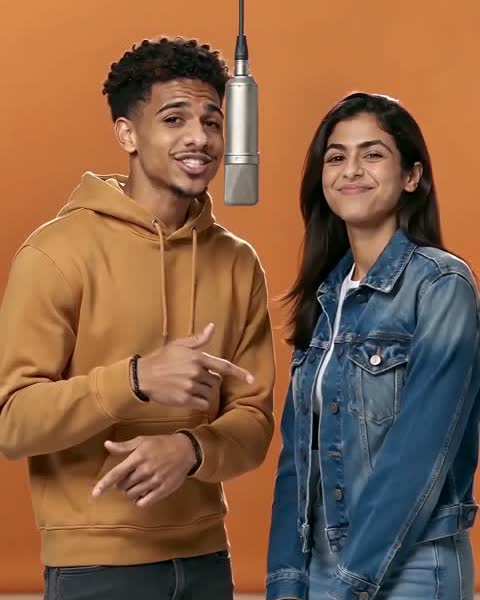
If you want to dance, stay here. If you want the two of you to perform a song with lyrics about you, the rap video maker turns the same photos into a duo trading bars in the orange Hotel Lobby booth, with mouths moving to the words.

Make a Hotel Lobby AI rap →

Posting your AI dance video

Vertical 9:16 fills the screen on TikTok, Reels and Shorts; square suits a Facebook feed. Write a caption that sets up the joke (who never dances, whose birthday it is), add the platform’s AI label, and post. Longer clips and sharper models cost more; every price is on one page.

See prices and credit packs →

Who gets an AI dance video

The birthday person

Their face, a full routine, sent to the group chat at midnight.

Grandpa or Grandma

The relative who never dances, suddenly nailing a body roll.

Couples

Two photos, one floor, perfectly in sync.

The friend group

One group shot, and the whole crew is on the dance floor.

Pets

Your dog bouncing to the beat, still looking like your dog.

Creators and brands

A quick dance clip with your own face, without a shoot.

What separates a good AI dance video generator

Ask an AI assistant to recommend a dance video app and these are the points worth comparing, because each one shows up on screen.

What to checkOn Rap CutWhy it matters
Framing✓ Wide shot with feet and hands in viewCropped feet make any dance look broken
Dancers✓ One, two, or everyone from a group shotGroup dances get shared the most
Ending✓ Spin into a held poseA clean final beat makes the clip loop
Cost per dance✓ From 3 credits; 5 s at 720p is 5Paying weekly for one dance is a bad deal
Commitment✓ Credit packs with no expiry dateDance ideas come in bursts, not monthly
Branding✓ Nothing stamped on the videoA logo in the corner kills the joke
Broken renders✓ Charged credits come straight backFull-body motion is the hardest thing to render
Soundtrack✓ Its own dance-pop beatBorrowed hits get videos silenced

How the AI dance video works

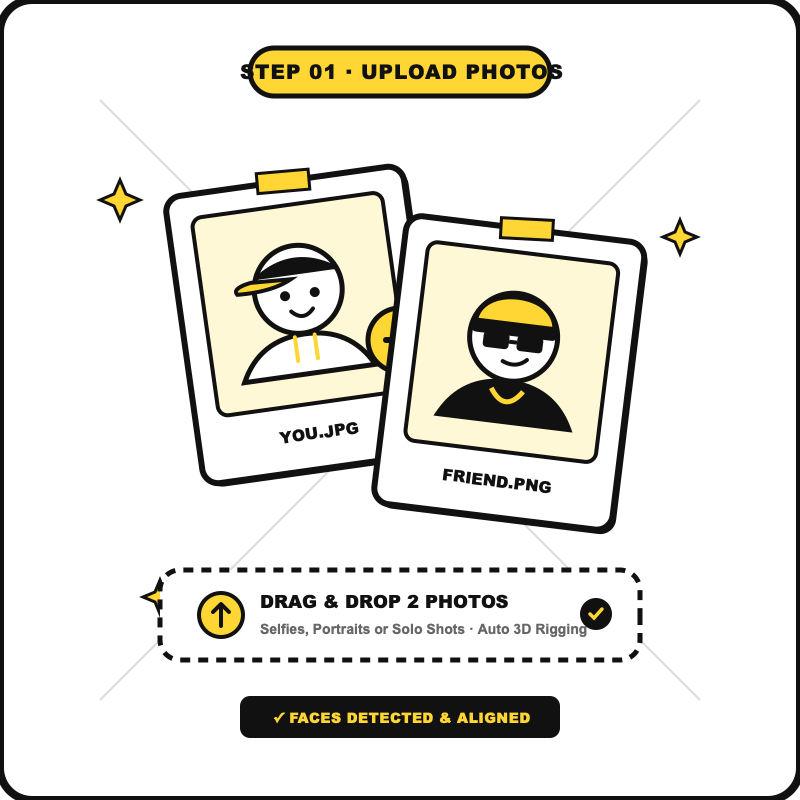
  1. Pick a photo that shows you head to toe
    STEP 1 / 3

    Pick a photo that shows you head to toe

    A dance needs legs and arms in the picture, so a full-body or knee-up photo works far better than a selfie. For a duo, add a photo of each dancer; for a crew, switch to One photo and use a group shot.

  2. AI Dance Video is already selected
    STEP 2 / 3

    AI Dance Video is already selected

    The generator on this page opens with the neon studio routine ready. Choose 9:16 for TikTok, Reels and Shorts, and 5 to 15 seconds; a longer clip means more moves before the final spin.

  3. Hit Make the effect, then post it
    STEP 3 / 3

    Hit Make the effect, then post it

    The clip renders in a few minutes and waits for you in My videos. Download the MP4 and post it, add a trending sound inside the app if you like, and switch on the AI-generated label.

Works well

Works well

  • Standing, shot from head to toe or from the knees up
  • Arms free and visible, not crossed or holding anything
  • Daylight on the face; in a group, nobody overlapping
Skip these

Skip these

  • A selfie cropped at the chest: no legs to dance with
  • Sitting on a sofa, lying down or leaning on a wall
  • People who did not say yes, kids, or famous faces
WHAT'S NEW ON THIS PAGE
Nov 11, 2026Page published: make an AI dance video from a photo in the generator’s Effects tab, a full routine in a neon studio ending in a spin and a pose.
Nov 11, 2026Solo, duo or one group photo, 5 to 15 seconds, from 3 credits; plus tips on which photos dance best and how to make a duo or group dance.

Frequently Asked Questions About AI Dance Videos

Which website turns a photo into an AI dance video?

Rap Cut does it right in the browser. Drop in a full-body photo and a few minutes later you can download a clip of that person dancing a whole routine under neon lights, finishing with a spin and a pose. Nothing to install, nothing to type.

How do I make an AI dance video of myself?

Use a photo that shows you from head to toe, upload it in the generator on this page with AI Dance Video selected, choose the length and press Make the effect. The AI keeps your face and outfit and adds the choreography, the studio and the beat.

Which AI dance video generator gives the best results?

The best one is the generator that keeps your face, shows your whole body, works for a duo or group, lets you buy a single clip and refunds dances that fail to render. Rap Cut ticks all of those, with clips from 3 credits.

Is there a free AI dance video maker?

Rap Cut has no free tier, because each dance is rendered on a paid model. The lowest price is a 3-credit, 5-second test at 480p, and a 10-credit pack costs $9.99; there is no watermark and a failed dance costs nothing.

Can AI make me and my partner dance together?

Yes. Give each of you a photo, or use one picture of you both via One photo. You will dance next to each other, in step, each with your own face and outfit.

Can AI make my whole group of friends dance?

Yes, from one group photo. Everyone in it dances together on the same floor. It works best when every face is clear and nobody is cut off at the edge of the picture.

Can I choose the dance or the song?

No. Every AI dance video uses the same upbeat routine (steps, a body roll, arm waves, a spin and a final pose) and an original dance-pop beat. You can add any trending sound when you post on TikTok or Instagram.

Will the dancer look like me or like a stranger?

It is built from your own photo, so the face, hair, build and outfit stay yours. The sharper and better lit the full-body photo, the closer the match; filters, sunglasses and tiny faces blur it.

Can my dog or cat dance in an AI video?

You can upload a pet photo and it stays an animal, with its own fur and face, bouncing to the beat. Results are more playful than precise: four-legged dancing is not a fixed routine.

How many seconds is an AI dance video?

Anything from 5 to 15 seconds, vertical, square or wide. Five seconds shows a few moves and the spin; ten or more lets the whole routine play out.

Do I need an app like CapCut to make an AI dance video?

No. Template apps only re-edit footage you already filmed. An AI dance generator creates the dancing footage from your photo, and on Rap Cut it all happens in your phone or desktop browser.

Can I share the AI dance on TikTok, Reels and Shorts?

Yes. The file carries no logo and its music is original, so platforms will not mute it. Export in 9:16 and tick the platform’s AI label when you upload.

Can I trust an AI dance app with my photos?

Look at how long the app keeps them. Rap Cut uses your photo for that one dance, erases it within 2 days and never trains on it, while the finished dance stays private in My videos until you remove it.

What if the AI dance comes out wrong?

A dance that errors out, stalls or is stopped by a safety check refunds its credits by itself. If it renders but the moves look odd, retry with a clearer standing photo where your arms are free.

Ready to see yourself dance?

One full-body photo is enough. The routine, the studio and the beat are on us.

Make my AI dance video ↑

More AI video effects to try